Free
No account$0forever
- Single-element capture
- Five locator strategies with a ranked best pick
- Selenium snippets in Java, Python and C#
- Auto-promote, Pause mode and Alt for the exact node
- Light and dark themes, keyboard shortcuts
Hover any element on any page, click once, and get a verified locator with ready-to-paste Selenium code. Pro adds Playwright, Cypress and whole Page Object classes.
Spectara reads the live page the way your test will. It finds the element under your cursor, tries every strategy, and keeps only locators that match exactly one node.
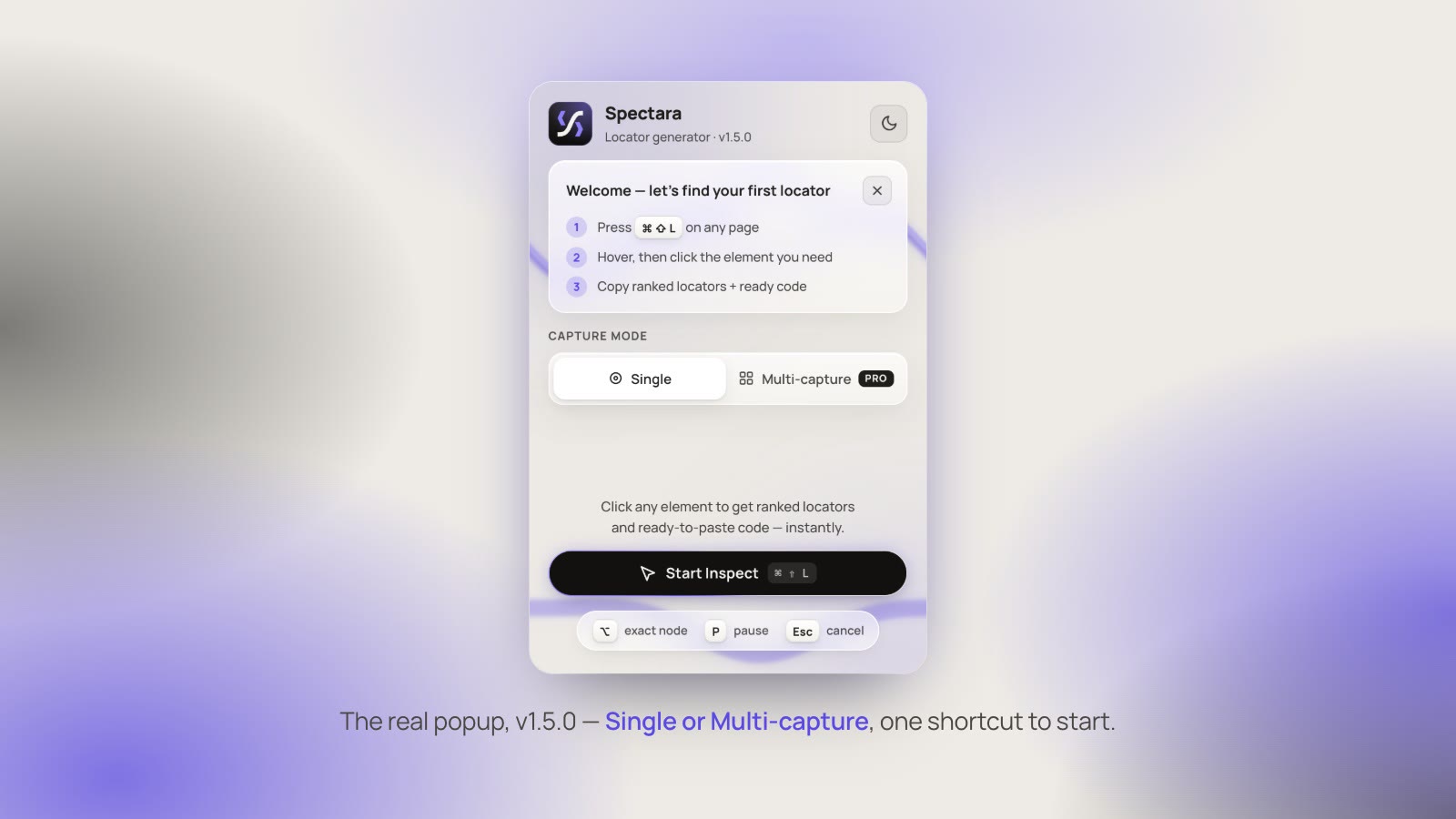
Press Ctrl ⇧ L. An outline follows your cursor; hold Alt for the exact node underneath.
id, name, test id, CSS and XPath are scored for stability. Dynamic IDs and brittle paths sink.
Selenium in Java, Python or C#, or a @FindBy field, ready to paste into your test.
Pro keeps capturing and writes the whole Page Object class at the end.
This is a mock of the extension running on a sign-in page. Point at a field or a button and click it to see what Spectara gives you.
The popup on the left, the in-page inspector on the right. Free captures one element at a time; Pro adds multi-capture, which builds a whole Page Object in one session.
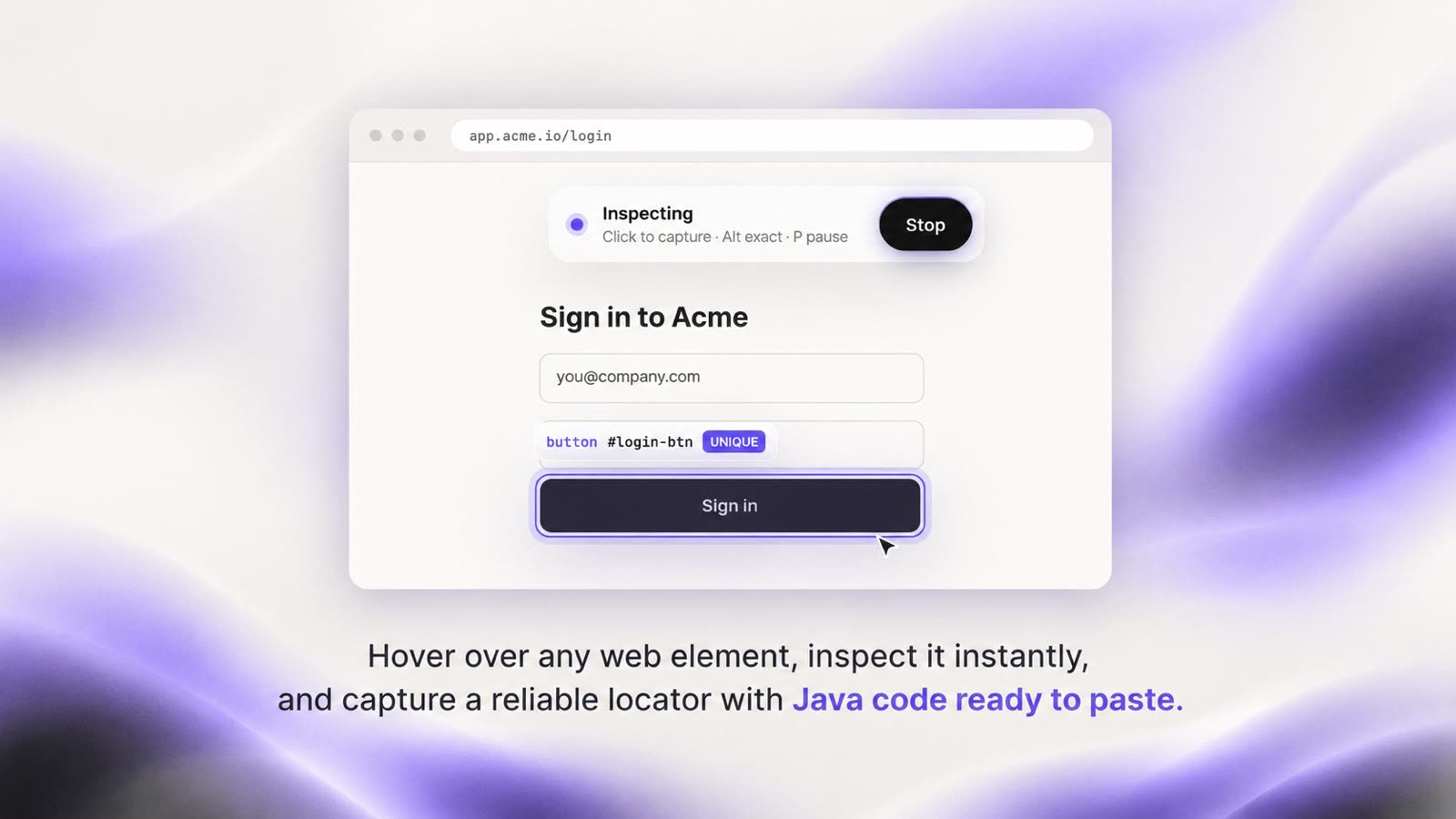
Every locator is tested against the page before you see it. If it matches more than the element you clicked, it is not offered as the best choice.
By.id("login-btn")1 match · best[data-testid="login-submit"]1 match//button[normalize-space()="Sign in"]1 matchbutton.btn.primary3 matches#ember412 > div:nth-child(3) > buttondynamic idThe free version replaces right-click, copy XPath. Pro is for building Page Objects and working outside Selenium.
Or $39 a year, about $3.25 a month.
.java, .py or .cs fileCard required for the trial. Cancel before day 7 and you pay nothing. 14-day refund after that.
Start free trialIt is a Chrome extension for test automation engineers. You point at an element on any web page, click it, and get a locator that matches only that element, plus the code to use it in your test.
Free: Selenium WebDriver in Java, Python and C#, plus PageFactory @FindBy fields.
Pro adds Playwright in TypeScript and Python, Cypress, and full Page Object classes in every supported language. Any single locator can also be copied on its own.
No. Install it and press Ctrl ⇧ L on any page. Pro only asks for a license key, which arrives by email after checkout.
No. Spectara is an independent project. The framework names describe which APIs the generated code targets.
Chrome blocks every extension on its own pages (chrome://), the Chrome Web Store and the built-in PDF viewer. Open any regular website and Start Inspect works.
Press P to pause inspecting, open the menu the normal way, then press P again and click the item you need. Esc cancels at any time.
That is auto-promote. Clicking a decorative element such as an SVG icon or an empty span moves up to the nearest thing your test can act on: a button, link, input or label. Hold Alt while clicking to capture the exact node instead.
Every locator is checked against the live page and must match exactly one element before it can be the best pick. Ranking skips auto-generated IDs and framework hash classes, and the output is plain By.id, By.cssSelector or By.xpath, so nothing ties your tests to Spectara.
Yes, in Pro. The generated code includes the frame switches (driver.switchTo().frame() in Selenium, frameLocator() in Playwright) and the shadow root steps for open shadow roots. Closed shadow roots cannot be entered by any tool, and Spectara says so instead of guessing. Cypress can only enter same-origin iframes.
In multi-capture, Copy all gives you field declarations, a plain list of locators, or JSON. Pro can also save the whole Page Object as a .java, .py or .cs file.
Multi-capture sessions with editable field names, full Page Object classes, iframe and Shadow DOM support, Playwright and Cypress code, file export, list detection and live locator validation.
Start it from the Pro tab in the extension or the button above. Checkout asks for a card, Pro is free for 7 days, then it is $4.99 a month. Cancel before day 7 and you pay nothing. There is one trial per person.
After checkout your license key arrives by email. Open the extension, go to the Pro tab, paste the key and press Verify.
Cancel anytime from the link in your receipt email; Pro stays on until the end of the period you paid for. If Pro is not for you, ask for a refund within 14 days of payment.
By card through Polar, our payment provider. Polar handles the checkout, receipts and sales tax; we never see your card details.
Pro keeps working. The extension checks your key once a day, and if it cannot reach the server it keeps your last valid status for up to 30 days.
No. Captures are stored in your own browser and never sent anywhere. There is no analytics or telemetry. The free version makes no network requests at all; Pro sends your license key, and nothing else, once a day to check it.
To draw the outline and read an element, the inspector has to run inside the page you choose to inspect, and you might inspect any site. It only runs when you start inspecting. The other permissions are activeTab, scripting to start the inspector, and storage to keep your captures locally.